


Base44: Build Apps with AI
4.0254.00 Reviews
App Specs
- Version
- 2.131774.0
- Updated On
- License
- Free
- Downloads
- 100,000+
- Developer
- Base44 LTD
- Categories
- Productivity
- Platform
- Android
Screenshots
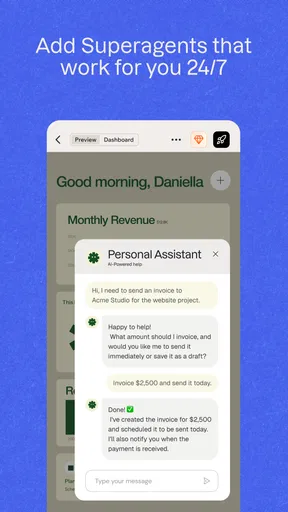
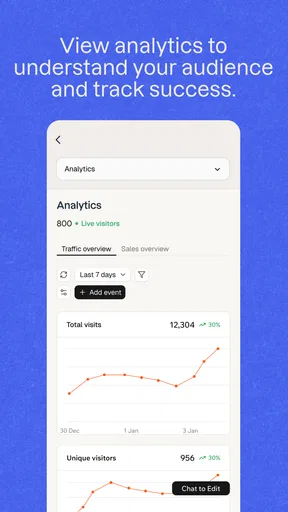
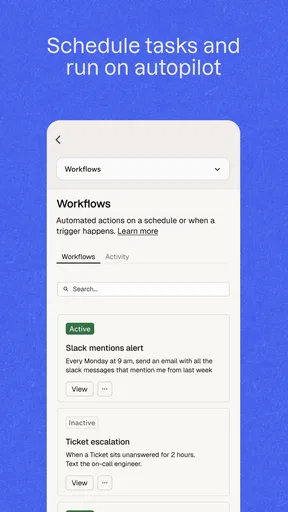
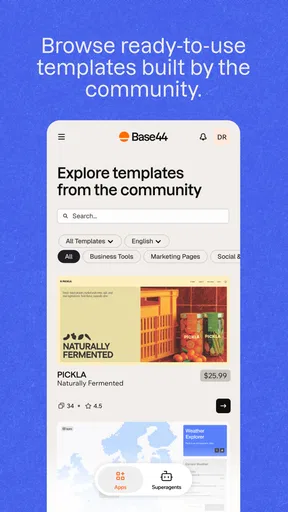
 Analysis by AppCompare
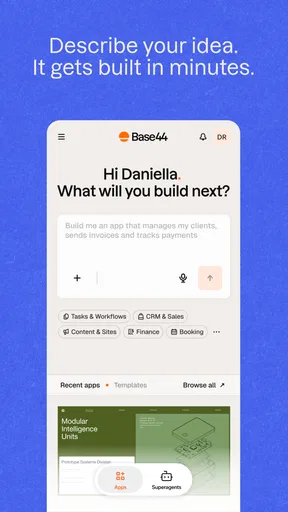
Building an app usually sounds like a project for developers, designers, and a great deal of patience. Base44 takes a different route: I describe what I want in ordinary language, and the app turns that idea into a working software project. That makes it interesting for people who have a useful idea but do not know how to begin with code.
I reviewed it as a productivity app rather than as a replacement for a full development team. That distinction matters. The appeal is not simply that it can produce something quickly; it is that the first conversation about an app can happen before I understand programming languages, frameworks, or interface design. The real question is whether that speed remains useful once the first version needs clearer rules, better structure, and dependable testing.
Base44 is free to use, is intended for everyone, and comes from Wix.com, INC. Its store presence shows an average rating of 4.1 from around 1,500 ratings, with more than 100,000 installs and roughly 248 written reviews. Those figures suggest a growing audience, but I would still judge it by the kind of project I wanted to make rather than by popularity alone.
How I would decide whether Base44 fits my project
The first decision is about the type of work involved. If I need a simple internal tool, a personal tracker, a basic booking concept, or a small workflow that can be explained clearly, an AI app builder is a sensible place to start. If I need highly specialized hardware access, exact visual behavior, advanced offline operation, or a carefully controlled production architecture, I would begin with a conventional development route instead.
I found that the quality of the result depends heavily on how I describe the idea. “Make a task app” is too vague to guide a useful build. A stronger request explains who uses it, what they add, what they see first, which actions matter, and what should happen after each action. This is the first important trade-off: Base44 reduces the coding barrier, but it does not remove the need to think like a product designer.
Before starting, I would write a short brief with four parts: the user, the main problem, the essential screens, and the rules that must never be broken. For example, a neighborhood repair organizer might need customer names, job status, appointment dates, notes, and a clear distinction between open and completed work. That description gives the builder something concrete to interpret and gives me a checklist for judging the result.
There is also a difference between making a demonstration and making a tool people depend on. A demonstration only needs to communicate an idea. A useful tool needs predictable navigation, sensible empty states, understandable error handling, and a workflow that still makes sense after several weeks. Base44 is most attractive when I treat its first output as a serious starting point, not as a finished product that needs no review.
Worth Reading Before You Choose

EA SPORTS FC Mobile 26 Is a Bigger Football Game, but It Takes Time

Flipboard Shows What News Apps Must Do Beyond the Feed

Switching to Android Auto Means Rethinking Your Driving Routine

Google Calendar Makes a Crowded Week Easier to Manage

Ludo King Makes the Most of the Minutes Between Plans

Baby Panda World Brings Quick Play to Modern Phones, but Its Game Library Feels Busy
The best first projects are narrow and practical
My strongest use case is a focused app with one central job. A volunteer group could use it to organize requests and assign responsibilities. A freelancer could create a lightweight project board for client work. A teacher might prototype a resource organizer. Someone planning a small event could turn a list of attendees, tasks, and deadlines into a more usable workspace.
These projects benefit from a short feedback loop. I can explain the idea, inspect the result, notice what feels awkward, and refine the request. That process is much less intimidating than opening a blank coding environment. It also helps me discover whether the idea is worth pursuing before spending substantial time on a custom build.
A useful habit is to ask for one workflow at a time. Instead of describing every possible feature in one long instruction, I would establish the main records and actions first, then improve the areas that matter most. This makes changes easier to evaluate. If everything is requested at once, it becomes difficult to tell whether a new instruction fixed the original problem or merely moved it elsewhere.
Another non-obvious advantage is that plain language can expose unclear thinking. When I try to explain what should happen after a user saves an item, I often discover that I have not decided whether the item can be edited, archived, reassigned, or deleted. The builder does not solve that product decision for me, but it forces the decision into the open earlier than a vague idea on paper would.
Where the AI approach saves time
The largest gain is at the beginning. I do not have to translate an idea into technical vocabulary before seeing a possible interface. That is particularly helpful for a small business owner or an independent creator who understands the problem intimately but has no development background.
It can also make experimentation feel less expensive in terms of effort. I can compare two ways of organizing the same information, try a different sequence of actions, or test whether a dashboard is more useful than a list. In a traditional process, even a small structural change may require a conversation with a developer or a return to design work. Here, the distance between an idea and a rough implementation is shorter.
That speed is valuable for communication too. A working prototype gives a team something more concrete to discuss than a paragraph describing a future app. People can react to the flow, identify missing information, and explain what they expected to happen. I would use Base44 as a conversation tool even when the eventual product might be rebuilt elsewhere.
The app is also approachable because its core interaction is conversational. I do not need to memorize commands to begin. Still, conversational input should not be mistaken for casual input. The more precise I am about roles, records, and transitions, the more useful the result becomes.
Three practical techniques that improve the result
First, I would describe the app through real situations rather than a list of fashionable features. “A manager reviews unassigned requests each morning, opens one, assigns it, and marks it ready for follow-up” is more useful than “add a smart dashboard.” A scenario gives the builder a sequence to support and gives me a sequence to test.
Second, I would separate permanent information from temporary status. In a service organizer, a customer’s contact details are different from the current state of a job. Keeping those concepts distinct makes later changes easier to reason about. It also prevents a common problem in quick prototypes: one crowded screen trying to represent every kind of information at once.
Third, I would test the uncomfortable paths, not only the happy path. I would try an empty list, an incomplete form, a duplicate entry, a cancelled task, and a record that needs correction. These cases reveal whether the app is genuinely usable. A polished first screen can hide confusing behavior once real work becomes irregular.
I would add a fourth technique for shared projects: create a small vocabulary and keep using it. If a record is called a “request” in one instruction and a “ticket” in another, the intended structure can become harder to maintain. Consistent names make each refinement clearer and reduce the chance of accidentally asking for two versions of the same concept.
Where Base44 wins, and where another category may fit better
Compared with writing an app from scratch, Base44 wins on approachability and early momentum. A conventional coding environment offers deeper control, but it also expects me to understand more before I can see results. For a nontechnical creator validating an idea, that initial gap can be the biggest obstacle.
Compared with no-code visual builders, the conversational approach feels more natural when the workflow is easier to explain than to draw. I can start with the logic of the problem instead of arranging every component manually. The trade-off is that visual builders may feel more predictable to someone who wants to inspect and adjust each screen directly.
Compared with spreadsheet-based solutions, Base44 is appealing when the work has multiple states, repeated actions, or a need for a more dedicated interface. A spreadsheet remains excellent for quick calculations and flexible personal analysis. I would not replace a simple, well-organized sheet merely because an app can be created around the same information.
Compared with hiring a developer, the choice depends on the cost of precision. A professional developer is the better fit when the app is central to revenue, must integrate with complex existing systems, or needs detailed control over performance and security behavior. Base44 is better suited to proving the workflow, serving a modest need, or giving a nontechnical owner a way to move from idea to testable product.
Compared with a template-driven service, Base44 appears more useful when the project does not fit a familiar category exactly. A template can be faster when the intended app is a standard store, portfolio, appointment page, or blog-like experience. A conversational builder becomes more interesting when the process combines unusual fields and steps that a fixed template does not anticipate.
The limitations I would take seriously
The first limitation is interpretation. AI can make a reasonable guess that is still wrong for my business. If I do not inspect the result carefully, a small misunderstanding about permissions, status changes, or required information can become part of the workflow. The convenience of the first build increases the need for deliberate checking afterward.
The second is refinement fatigue. The first request may feel exciting, but improving an app through repeated natural-language instructions can become frustrating if I cannot explain exactly what changed or why something remains awkward. For a tiny project this may be acceptable. For a large system with many connected rules, I would want more direct technical visibility.
The third is that a working interface is not automatically a dependable product. I would test important actions with realistic examples and ask another person to use the app without coaching. If they hesitate at a step that seemed obvious to me, that is a design problem, not something the phrase “AI-built” excuses.
I would also avoid putting sensitive or business-critical work into a new workflow before understanding how it behaves in practice. The app’s Everyone content rating describes its general audience, not the suitability of every project for every kind of information. For anything important, I would first use harmless sample records, review the process, and establish a backup or fallback method.
What switching to it really involves
The cost of switching is not mainly learning syntax. It is learning how to describe requirements, verify assumptions, and maintain a shared understanding of the app. Someone moving from a spreadsheet may need to rethink how information is grouped. Someone moving from a traditional development process may need to accept less direct control during the earliest stages.
I would reduce that cost by starting with a small, noncritical workflow rather than migrating an entire operation. For example, I might use it for internal request tracking while keeping the existing system available. After a short period of real use, I could compare the number of steps, the clarity of the records, and the effort needed to correct mistakes.
Keeping the original process during the trial is especially important when other people depend on it. A prototype can look convincing in a demonstration but reveal missing edge cases during daily use. A gradual transition gives me time to find those gaps without turning experimentation into an emergency.
There is also a human switching cost. People may understand a familiar spreadsheet even if it is not elegant. A new app must earn trust through clear labels and dependable behavior. I would involve the people who perform the work, not just the person who requested the app, because they notice repetitive friction that is easy to miss from a planning desk.
Version, access, and practical expectations
The current release is version 2.130568.0, and the app requires at least iOS or Android version 10. That makes checking the operating system a sensible first step before planning a team rollout. I would also test the same workflow on the devices people actually use, rather than assuming that a result that looks good in one environment will feel identical everywhere.
Because the app is free, it is easy to try without making an immediate purchase decision. I would treat that as an invitation to evaluate the workflow, not as proof that every future requirement will remain effortless or cost-free. The most useful trial is one with a defined goal: build one small tool, have another person complete the main task, and decide whether the result saves enough effort to continue.
For a solo creator, that experiment can be completed quickly. For a team, I would document the app’s intended vocabulary and basic rules as the project develops. That small amount of discipline prevents the original builder from becoming the only person who understands why the app behaves a certain way.
My recommendation after weighing the trade-offs
I recommend Base44 to people who have a concrete app idea and want to test it without first becoming programmers. It is particularly well matched to focused productivity tools, internal workflows, prototypes, and small projects where speed of learning matters more than complete technical control.
I would not choose it as my first option for a mission-critical product with complicated integrations, strict technical requirements, or a large audience that cannot tolerate uncertain behavior. In those situations, a developer-led approach or a more established platform with the exact controls I need may be the safer choice. The right alternative is determined by the cost of being wrong, not by how impressive the first generated screen looks.
My practical recommendation is to begin with one narrow workflow, use realistic but harmless sample information, and write down the rules before asking for changes. Test ordinary use and awkward exceptions. If the app makes the process clearer for someone who did not build it, keep developing it. If every improvement requires increasingly complicated explanations, that is a useful signal that the project has outgrown the conversational approach.
Base44 is most valuable as a bridge between an idea and a usable first version. I like that it lets me explore the shape of an app before committing to a conventional build, and I think its greatest strength is giving nondevelopers a more active role in product creation. Its weakness is the same thing in reverse: easy creation can encourage people to underestimate testing and maintenance.
For the right project, that balance is worthwhile. I would use it to turn a clearly described problem into something people can try, learn from, and improve. I would not confuse that first success with the end of development. Used with realistic expectations, it is a practical productivity companion for moving from “I wish there were an app for this” to a testable answer.
Pros
- Creates functional app prototypes from plain-language prompts.
- Useful for testing ideas without traditional coding skills.
- AI can speed up early design and development workflows.
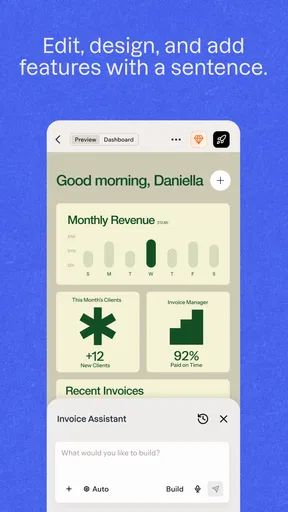
- Supports quick revisions through conversational instructions.
- Helpful for solo creators and small teams with limited resources.
Cons
- Complex apps may require manual fixes after AI generation.
- Advanced customization can be limited compared with native development.
- Usage limits or paid plans may restrict frequent experimentation.
- Generated apps may need extra testing for reliability and security.
- Exporting or migrating a project could be less flexible than expected.
FAQs for Base44: Build Apps with AI
What is Base44: Build Apps with AI, and what can I create with it?
Base44 is an AI-powered app-building platform designed to help users create functional applications without writing traditional code. You describe the idea in natural language, and the service can generate screens, workflows, databases, authentication features, and other app components. It is suitable for prototypes, internal tools, directories, dashboards, simple business apps, and early product concepts, although complex or highly customized projects may still require technical adjustments.
Do I need programming experience to use Base44?
No, Base44 is intended primarily for people who do not have extensive programming experience. You can explain what you want to build in ordinary language and refine the result through additional instructions. However, a basic understanding of app structure, user permissions, data organization, and testing is still helpful. AI-generated results may not always match your expectations, so reviewing every feature carefully before sharing the app with others is important.
Can Base44 create apps for both Android and iOS?
Base44 focuses on generating and publishing applications through its supported platform and delivery options, rather than replacing every step of traditional native Android or iOS development. Before downloading or subscribing, check the current product documentation to confirm whether your desired project can be packaged as a mobile app, accessed as a web app, or published through app stores. Availability, export options, and store-submission requirements may depend on your plan.
Is Base44 free to use, or does it require a subscription?
Base44 may offer a free way to explore the service, but usage limits, AI generations, storage, publishing tools, branding, integrations, and other advanced capabilities can vary by plan. Free access should be treated as an opportunity to test the builder rather than a guarantee that a complete production app can be operated at no cost. Review current pricing, billing frequency, quotas, and cancellation terms before entering payment details.
Is Base44 safe for sensitive information and business data?
You should avoid placing confidential, regulated, or highly sensitive information into Base44 until you have reviewed its current privacy policy, security documentation, data-processing terms, and available access controls. AI-generated applications can contain configuration mistakes, overly broad permissions, or incomplete validation if they are not tested properly. For business use, verify authentication, database protection, backups, user roles, integrations, and compliance requirements before deploying the app publicly.


